There is a moment in training that everyone knows. You finish a set, put the weight down, the iron rattles. Your heart rate is up, your breathing is heavy. And while you prepare for the next rep, the question appears: How much time is left? How many sets are still missing? What comes next?
In that moment, you open the app. You check the status. You close it again. And right there, you lose three to five seconds of focus. The gap between training and technology, a gap that never quite closed. Until now.
VigiGym 3.0 was built to eliminate that gap. With Live Activities, real-time sync between iPhone and Apple Watch, heart rate tracking, iCloud integration, and a sixth language: Japanese, which is more than just another localization.
Live Activities: Training Without Interruption
When you are in the middle of a workout, the last thing you should have to do is open an app. The context should already be there, without you having to go look for it. That is exactly why Live Activities exist.
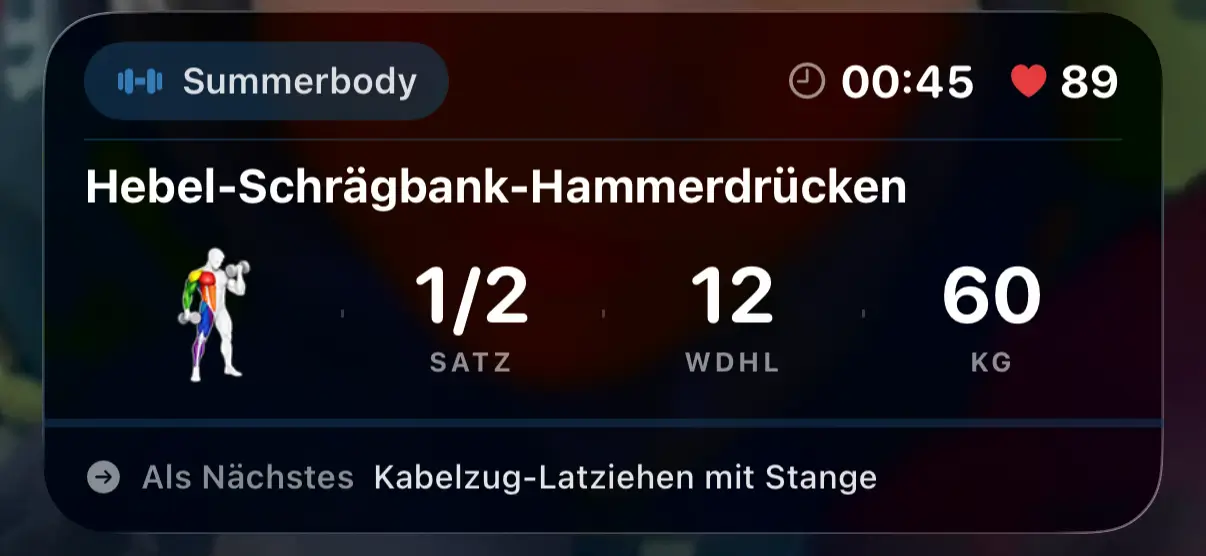
Starting with iOS 16.1, Live Activities make it possible to show relevant information directly on the Lock Screen and in the Dynamic Island on supported devices, without opening the app. For VigiGym, that means:
- Your rest timer runs directly on the Lock Screen: you can see the remaining seconds without unlocking your iPhone
- Your next exercise stays in view: you know what set is coming next without breaking your rhythm
- The Dynamic Island shows your workout in real time: on supported iPhone Pro models, the current set appears in the Dynamic Island: minimalist, yet always present
This is not a gimmick. It is context preservation. The principle behind it is simple: what stays in the background does not distract you, and what stays in the foreground too aggressively becomes annoying. Live Activities sit right in between. Visible when you need them, invisible when you do not.
From a technical perspective, the implementation was demanding. Live Activities require precise control of the widget lifecycle, efficient state management, and robust error handling in case the system ends the activity unexpectedly. But the challenge was worth it. The benefit far outweighs the effort.
Why this matters
Interruptions cost more than time. They cost mental energy. Every time you are pulled out of your flow, you need a few seconds to get back into it. In the gym, that adds up. Five seconds here, ten seconds there — by the end of a session, that is minutes of lost focus.
VigiGym 3.0 reduces that friction to zero. The rest timer keeps ticking on the Lock Screen. The next exercise is ready. You do not have to open anything. You do not have to close anything. You just keep training.
Live Sync: iPhone and Apple Watch as One System
In the past, training on the Apple Watch worked well, but it still felt separate. You logged on the Watch, the data synced later, but not immediately. There was always a delay, a gap between what happened on your wrist and what appeared on your iPhone.
VigiGym 3.0 represents a fundamental shift.
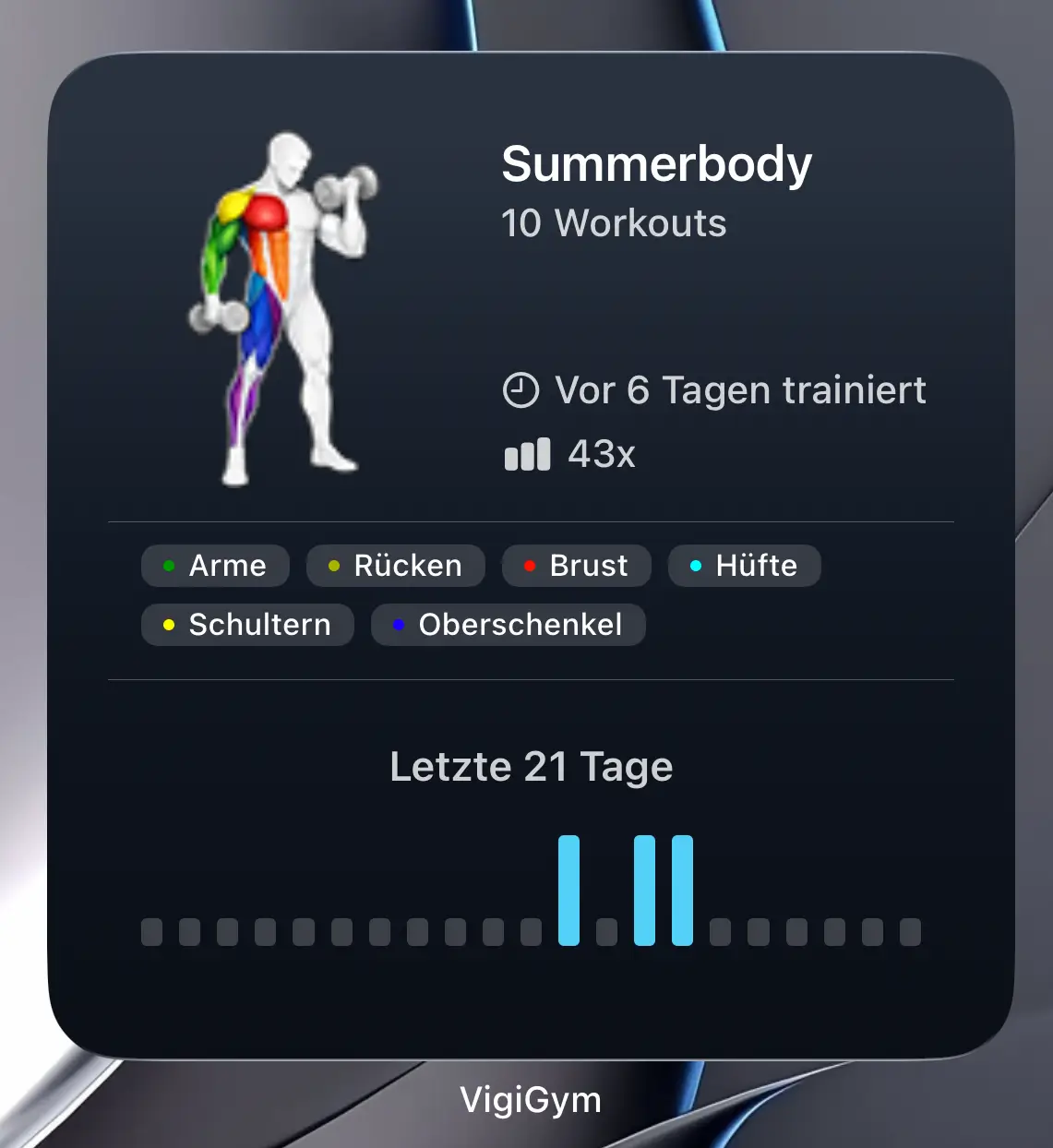
With Live Sync, the iPhone and Apple Watch are no longer two devices that occasionally talk to each other. They are one system. Every change you make on the Watch appears instantly on the iPhone. Every set you log on the iPhone becomes visible on the Watch right away.
That may sound obvious. It is not. Most apps sync in the background, with delays ranging from seconds to minutes. VigiGym 3.0 syncs while you interact.
The technical challenge
Live Sync was not simple. In fact, it was one of the biggest challenges in the development of VigiGym 3.0. The problem is that the Apple Watch and the iPhone are two independent systems with different lifecycles. The Watch can fall asleep while the iPhone is awake. The iPhone can be offline while the Watch is still logging data. And both still have to stay in sync, without data loss, without conflicts.
The solution required a completely new data model, one that supports bidirectional real-time updates without overwriting information. Each device has to know which state is the newest, even if changes happen on both sides at nearly the same time. That is not a trivial problem. But it was necessary to make Live Sync truly seamless.
What that means in practice
Imagine this: you start a workout on your iPhone, put it in your pocket, and walk over to the bench. On your Watch, you see the current exercise, your last values, and the next set. You log directly from your wrist. Without taking out your iPhone, you can already see on the Watch that the value has been accepted. At the same time, the iPhone updates in the background. When you check it later, everything is already there.
This is not just faster. It is seamless. And seamlessness was the goal, even if the path to get there was anything but easy.
iCloud Sync and JSON Export: Your Data Belongs to You
One of the core principles behind VigiGym has been clear from the beginning: your data belongs to you. No mandatory cloud, no forced account, no dependency on a server that may disappear one day.
With VigiGym 3.0, that philosophy goes further. iCloud Sync is now available as an option, but only if you want it. Turn it on, and your workouts sync automatically across your Apple devices. Turn it off, and everything stays local. No compromise.
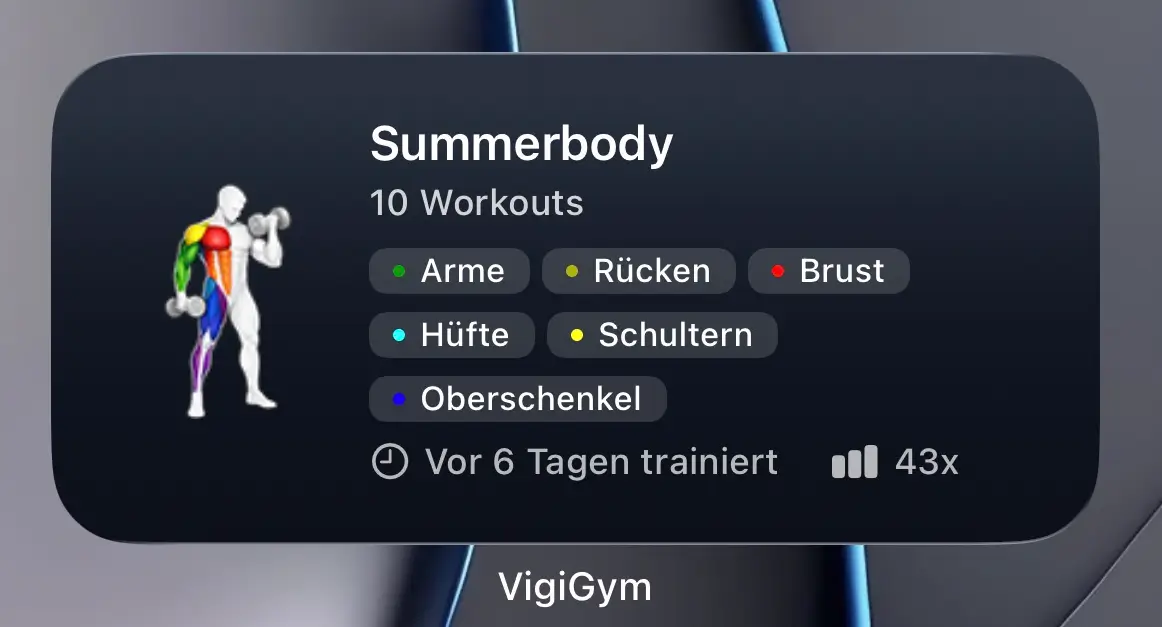
The implementation was complex. iCloud Sync has to be able to resolve conflicts. What happens if you log on two devices at the same time? Which state wins? How do you prevent data loss? Those questions need thoughtful solutions, not quick hacks. And that is exactly what VigiGym 3.0 delivers.
In addition, there is now JSON export and import. That means you can export your complete training history as a structured JSON file. Machine-readable, human-understandable, and fully under your control. You can back it up wherever you want. You can analyze it if you want. And if you ever decide to leave VigiGym, which I hope you will not, but I respect the possibility, you take everything with you.
Data sovereignty is not optional
At a time when almost every app uploads your data into a cloud you do not control, this is a deliberate counterstatement. VigiGym stores data locally. iCloud is an option, not an obligation. And JSON export guarantees that you are never locked in.
That is respect for the user.
Japanese Localization: More Than Just Another Language
VigiGym is now available in six languages: English, German, French, Spanish, Dutch — and Japanese.
Why Japanese?
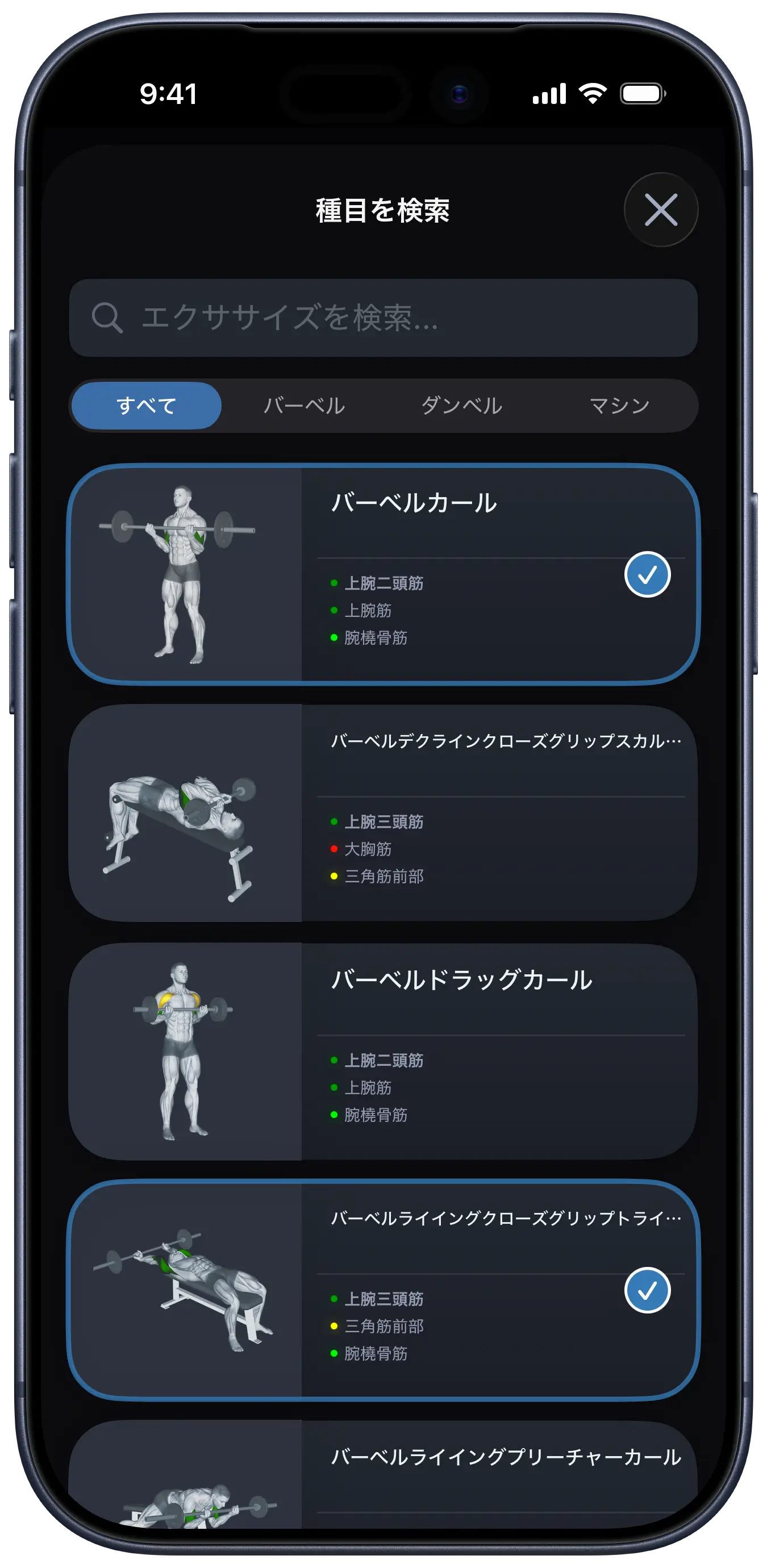
Because Japan is not just a market. It is a culture that has fascinated me for years. The precision, the discipline, the respect for craftsmanship. These are not abstract concepts. They are lived values. And the more I learn about Japan, the clearer it becomes: this philosophy does not merely fit VigiGym. It is VigiGym.
Monozukuri: The Art of Making Things
There is a Japanese concept called Monozukuri (ものづくり), literally "the art of making things." It is not about shipping features quickly. It is about adding a feature only when it is right, when it integrates seamlessly, when it improves the whole without damaging what already works.
That is the philosophy behind VigiGym. Every feature in version 3.0 was not added because it happened to be on a roadmap. It was added because the timing was right. Live Activities, because iOS finally supports the technology in a stable way. Live Sync, because the architecture is now robust enough. JSON export, because the data structure has matured.
Kaizen: Continuous Improvement
Another concept is Kaizen (改善), continuous improvement through small, thoughtful steps. Not one giant leap every six months, but constant iteration. Every version of VigiGym becomes a little better. Never perfect, but always closer.
The Japanese localization is more than translated strings. It is an acknowledgment of that philosophy, and a welcome to a culture I deeply respect, to a country where precision, discipline, and craftsmanship are taken seriously. Just like VigiGym.
Heart Rate Tracking: The Complete Workout in Apple Health
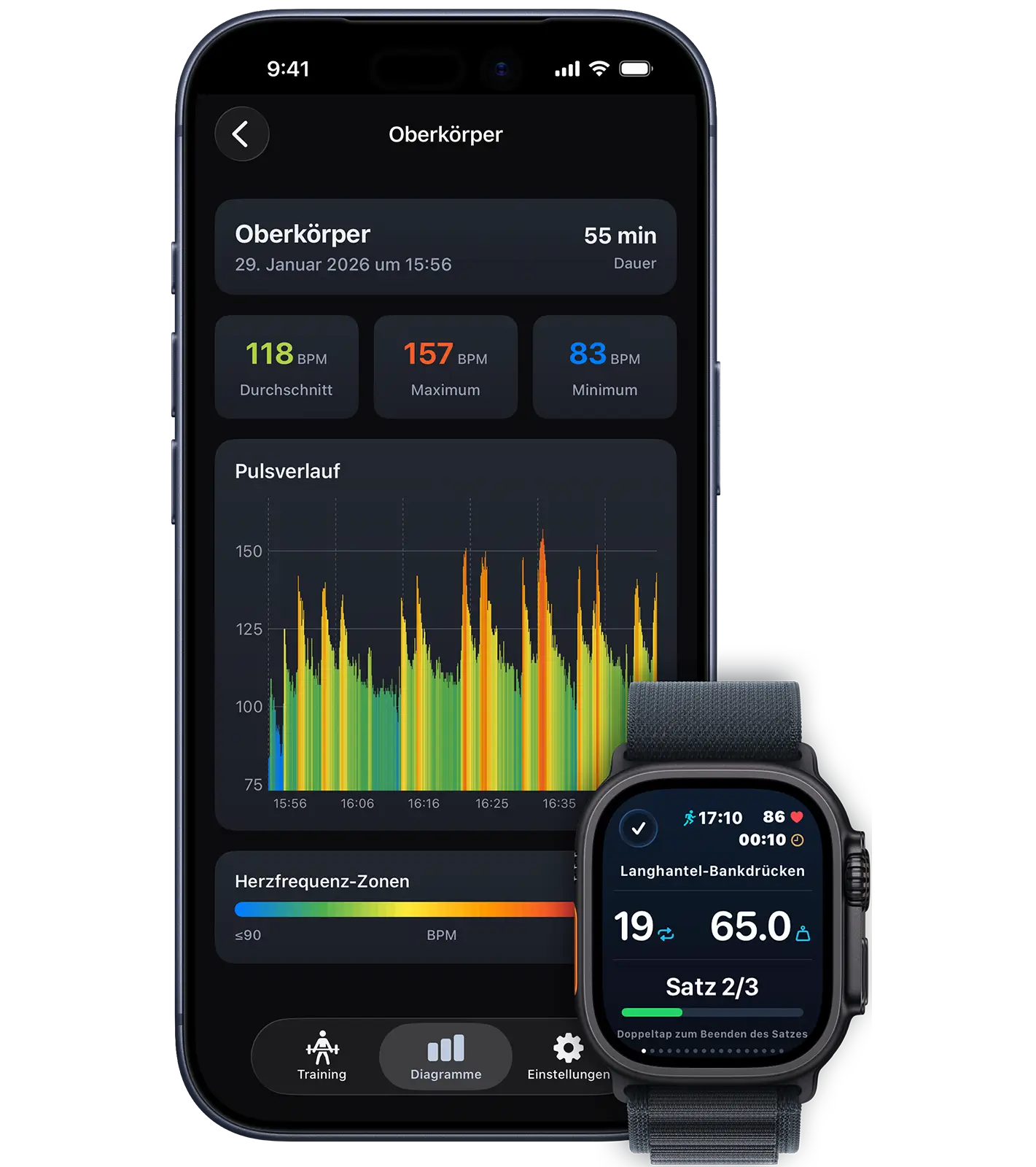
What is the value of precise set tracking if the cardiovascular side is missing? That is exactly why VigiGym 3.0 now includes heart rate tracking.
Connect your Apple Watch, and VigiGym measures your heart rate in real time during every exercise, not as a separate activity, but as part of your workout. And when the session is over, everything is automatically written to Apple Health, including heart rate data, workout duration, and calories burned.
What that means in practice
In the past, your workout was documented inside VigiGym: sets, reps, weights. But for Apple Health, it was invisible. Other fitness apps only saw a gap in your training history. No calories, no heart rate, no registered workout.
That changes with version 3.0. Every VigiGym workout is now stored in Apple Health as a complete workout session. That means:
- The Health app sees your full workout: duration, intensity, and calories burned
- Other apps such as Strava or MyFitnessPal can recognize your workouts automatically
- Your strength training now directly contributes to closing your Activity Rings
- Long-term tracking becomes possible: you can analyze weeks, months, or years of cardiovascular data
This is not an add-on. It is integration. VigiGym fits naturally into the Apple ecosystem without losing its own identity.
Why These Features in Particular?
Live Activities, Live Sync, heart rate, iCloud, JSON export, Japanese — that sounds like a long list. But every one of these features follows one principle:
Reduce friction. Preserve context. Respect the user.
- Live Activities keep context visible without forcing you to open the app
- Live Sync eliminates the gap between devices
- Heart rate tracking turns VigiGym into a complete workout partner for Apple Health
- iCloud and JSON give you control over your data
- Japanese is a tribute to the philosophy behind the product
None of these features is a gimmick. Every one of them solves a real problem. And every one fits seamlessly into what VigiGym has been from the beginning: a tool that does not get in your way.
What Comes Next
VigiGym 3.0 is not the end. It is a milestone. The next versions will not be about piling on more features. They will focus on refining the app and adding new workouts. Refinement instead of feature bloat.
Download VigiGym 3.0. Use Live Activities. Experience Live Sync. Track your heart rate. Export your data. And if you are training in Japan, enjoy the app in your own language.
Training stays in the foreground. Technology stays in the background. That is how it should be.
Summary for the Impatient
- Live Activities - rest timer and next exercise directly on the Lock Screen and in the Dynamic Island, training without interruption
- Live Sync - iPhone and Apple Watch synchronize in real time, no delay, one system
- Heart rate tracking - real-time heart rate measurement and full Apple Health integration, VigiGym as a complete workout solution
- Optional iCloud Sync - your data across devices, but only if you want it, no forced cloud
- JSON export and import - your complete training history, exportable and portable, full data sovereignty
- Japanese localization - more than another language, a tribute to Monozukuri and Kaizen
Frequently Asked Questions
Do I need to enable iCloud to use Live Sync?
No. Live Sync between iPhone and Apple Watch works locally over Bluetooth and Wi-Fi. iCloud is only an optional layer for synchronization across multiple devices.
Do Live Activities also work on older iPhones?
Live Activities on the Lock Screen are available on supported iPhones running iOS 16.1 or later. The Dynamic Island is limited to supported iPhone Pro models.
Will my heart rate data be stored in Apple Health?
Yes. Every VigiGym workout is written to Apple Health as a complete workout session, including heart rate, duration, and calories burned.
Why Japanese as the sixth language?
Because the Japanese ideas of Monozukuri, craftsmanship, and Kaizen, continuous improvement, align perfectly with the philosophy behind VigiGym. And because Japan is one of the markets where precision and discipline in training are taken seriously.
Ready for the next level?
Download for free. Train smarter.


Achim Loobes
Solo developer, athlete, and the person behind every pixel of VigiGym. Started programming in 1982. Still training. Still publishing. Based in Mönchengladbach, Germany.